Saturday, 30 January 2021

Best WordPress Backup Plugins

Disclosure: This content is reader-supported, which means if you click on some of our links that we may earn a commission.

What would happen to your WordPress site if all your data was wiped out? If you don’t have a clear answer to this pretty important question, then you’ve landed in the right place.

Without a doubt, a WordPress backup plugin is one of the smartest things you can do to ensure your site’s life. If you get hacked, accidentally lose your password, or the world comes crashing down, you’ll save yourself the massive headache of losing everything on your site with a backup plugin. 

The best part is that backup plugins are pretty easy to use once you add them to your WordPress dashboard. The problem lies in choosing the right one for your business from a list of so many plugins. In this buying guide, we’ll dive deep into everything you need to know. Ready? Let’s make sure your site’s backed up. 

#1 – BlogVault — The Best All-In-One Backup Solution
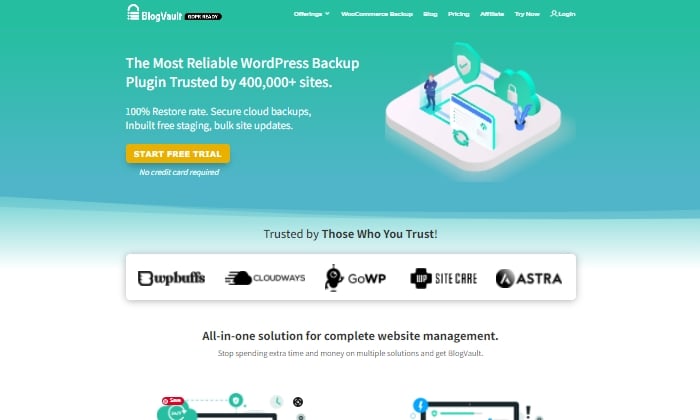
BlogVault makes for a reliable all-in-one backup plugin that ensures your site’s backup is stored securely in the cloud. It’s used by over 4,000,000 websites and trusted by businesses like Astra, Cloudways, and GoWP. 

BlogVault’s plugin offers key storage features like changelogs that can help you identify problematic modifications to your website. They go as far as providing 90-day archives to ensure you recover from any site mistakes, which are bound to happen at some point in your site’s lifetime.

If your site experiences downtime, with BlogVault, you can make it so that your site’s backup still shows up to users. What exactly does BlogVault backup? Everything from the basics like blog posts, your media library, and media files to blog comments, plugin files, WordPress settings, categories and tags, theme settings, WordPress core files, and even user details.

Because of how complete and robust BlogVault is as a plugin, it’s one of my favorite backup plugin recommendations to make. 

Some of BlogVault’s best features are:

  • Provides centralized dashboard where you can manage multiple sites
  • Provides custom WooCommerce table backups
  • Performance checks that inform you about site speed and ways to improve your site
  • Get uptime and downtime status checks
  • Handy customer support that gets in contact with you in less than 24 hours
  • Incremental backup option available so the plugin doesn’t slow down your site

If you’re not in love with everything BlogVault offers yet, take a look at their affordable pricing tiers:

  • Personal — $7.40 per month for daily backups
  • Plus — $12.40 per month for daily backups
  • Advanced — $20.75 per month for real-time backups

You can definitely take them for a test drive with their free trial. Otherwise, get started using BlogVault here. 

#2 – JetPack — The Best For Making Site Changes Safely
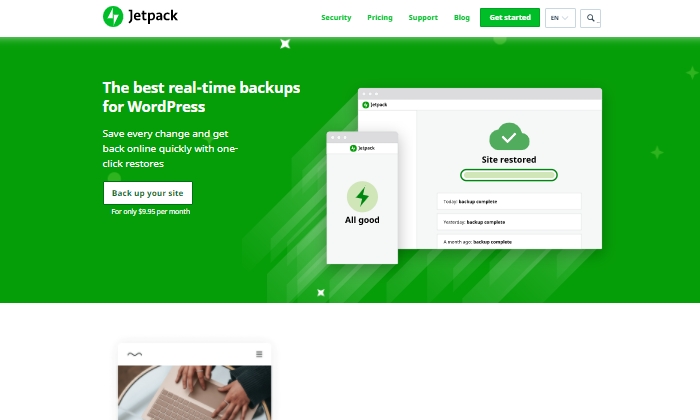
Jetpack is a strong contender for a reliable backup plugin that works great for making site changes safely.

Picture this: You’re making exciting new changes to your site, whether that’s CSS customization, adding new plugins, or altering your core site files. Then suddenly, something breaks. With Jetpack, you can quickly restore your site to how it was before you made that crucial mistake with just a few clicks. This makes it an easy and reliable plugin to work with if you’re constantly updating your website. 

The Jetpack plugin even comes complete with a mobile app so that you can virtually restore your website right from your phone no matter where you are. Plus, Jetpack offers plenty of security features, too. This can only be a plus for a backup plugin and makes it worth keeping in your corner.  

Some top features of Jetpack include:

  • Provides malware scanning and protects your site from spam
  • Downtime monitoring lets you know if your site is down immediately
  • Malicious hacking and attack protection
  • Mobile app you can take and use with you everywhere
  • Automatically cleans up spam comments off your site

If you choose to go with JetPack, the question becomes what kind of pricing package you’ll feel comfortable going with, as there are many options.

The three main packages are:

  • Backup Daily — $7.95 per month billed yearly 
  • Security Daily — $19.95 per month billed yearly
  • Complete — $79.95 per month billed yearly

The Backup Daily tier offers automated backups, one-click restores, and unlimited site storage. On the other end, Complete provides the full Jetpack suite, including real-time security, enhanced search, CRM features, and even design tools. 

Jetpack also offers a limited free forever plan that includes basic site protection, downtime monitoring, and changelogs. 

Additional product bundles you can purchase separately on a per month basis include a Security Real-Time plan, a Real-Time Backup plan, a Scan package, an Anti-spam bundle, a Site Search plan, and the CRM Entrepreneur add-on.

Jetpack offers peace of mind by providing one-click restore options and monitoring your website’s security at pretty affordable rates. Still, I recommend you visit their comparison page to ensure you’re deciding on the right backup bundle. 

Start using Jetpack’s powerful backup features here. 

#3 – UpdraftPlus — The Best Free Backup Plugin
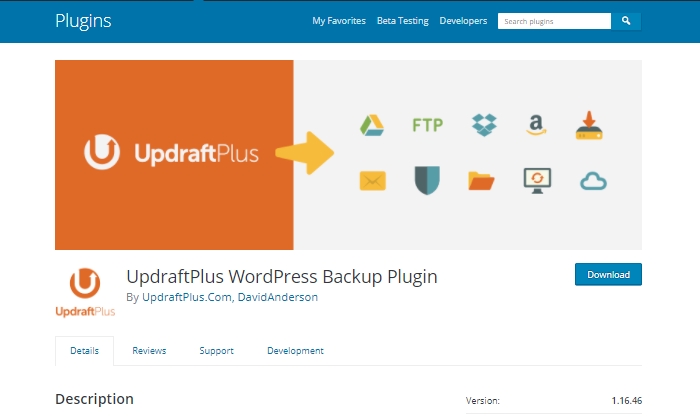
If you’re looking for a free backup plugin, look no further than UpdraftPlus. It makes restoring all your site files hassle-free and straightforward. It has over 3,000,000 active installations and is a reliable backup option if you are running your site on a shoestring budget.

UpdraftPlus has a paid version you can upgrade to with a lot more features and capabilities. But for now, we’ll focus on what the free version can do for your site.

UpdraftPlus is a cloud-based plugin that ensures you have access to your site’s files and data in case of cyberattacks, server crashes, conflicting plugins, or anything else that would bring your site down. Once you upload the UdraftPlus plugin, you can set it up, forget it, and let it run in the background while you work on more important tasks for your business. 

Best features of UpdraftPlus:

  • Backup to an exhaustive list of cloud options
  • Lets you set up automated backup schedules for convenience
  • Uses less server resources than other free backup plugins
  • Has the ability to restore your site 

Updraft Plus is free, and you can read reviews and download it here.

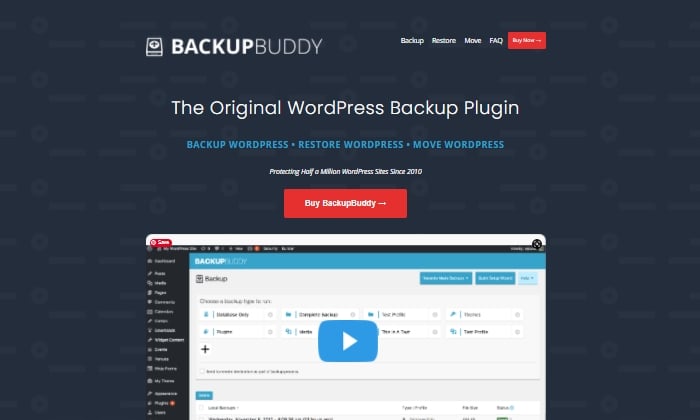
#4 – Backup Buddy — The Best For Efficiently Restoring Your Site

Like Backup Buddy rhetorically asks on their site, “What good is a backup if you don’t also have a way to restore your site properly?”

And they couldn’t be more right. Backup Buddy ensures you always have the latest backup of your site by providing you with a zip file you can use to upload and restore a broken site. 

Once uploaded, Backup Buddy seamlessly walks you through the steps to get your media files, text, plugins, and more back up and running. Additionally, you can choose to restore individual files instead of restoring the whole site if that’s what you want to do. You can even schedule automated backups at intervals you customize. 

Some top features of Backup Buddy include:

  • Backs up your entire WordPress installation
  • Customizable backup content that you can pick and choose to restore
  • Offers hourly, twice daily, daily, biweekly, weekly or monthly backups
  • Automatically sends your backup files to accessible remote storage locations like Dropbox or Google Drive

Backup Buddy has three pricing options, all with one-time fees:

  • Blogger — $80 for one site
  • Freelancer — $127 for up to 10 sites
  • Gold — $199 for backing up unlimited sites

You can quickly sign up and get started with BackUp Buddy here. 

#5 – WPvivid Backup Pro — The Best For Migrations
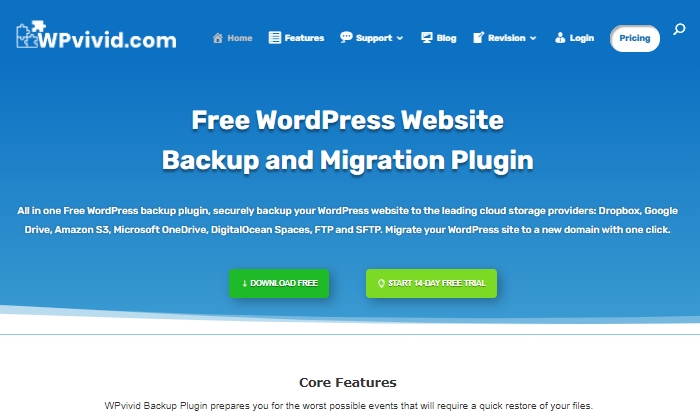
WPvivid Backup Pro is a great backup plugin you can safely set up and start using to migrate your site. They’ve been used on more than 90,000 websites to do more than just back up and safely migrate data files.  

WPvivid Backup Pro offers incremental backups to ensure it isn’t slowing down your site as it works in the background to backup all your data once it’s been configured to your needs. As far as its backup migration capabilities, WPvivid Backup Pro supports manual migration methods, as well as auto migration and migration via remote storage (as a premium feature). 

Some of WPvivid’s best features include:

  • Create either manual or scheduled backups
  • Advanced migration features in case you want to migrate your site quickly
  • The ability to create a staging site
  • It backs up all your core WordPress files
  • 24/7 ticket support
  • Set a size limit for files that you’re not interested in backing up

Here’s a quick look at their pricing packages: 

  • Basic — $49 per year for up to three websites
  • Freelancer — $99 per year for up to 100 websites
  • Ultimate — $149 per year for unlimited websites

All three plans are annual subscriptions, unlike other backup plugins, many of which are a one-time licensing fee. WPvivid also offers a 14-day free trial, visiting so you can test it out before you purchase a plan. 

What I Looked At To Find The Best WordPress Backup Plugins

The most basic use of a backup plugin is to keep updated backups of your site continuously. There are plenty of plugins on the market that will do just that.

Here are some of the criteria I looked at to find the best plugin options for your WordPress site. These will be helpful factors for you to think about as you choose which plugin to invest in. 

Restoring Options and Complete Backups

If you’re frantically trying to get your site back up and running and want to restore it to how it was before it crashed, you’ll be thankful for a restoring option you can upload in minutes.

This way, you’re enabled to troubleshoot fast, save your rankings in search engines, and have a contingency plan for when things go south. It’s a great feature to look for in any backup plugin you decide to use. Especially if their pricing features hook you into yearly subscriptions.  

Along with quick restoring options, it’s a good idea to ensure your backup plugin does complete backups, meaning it backs up everything on your site from images to texts, themes, media files, and your whole database. If your entire site goes down, a partial backup will be less useful. Full backups are worth any extra cost. 

Preventative Overload Configuration

It’s always a plus to know that a plugin was built to work with your site and not against it. This means it was designed with every aspect of your site in mind. This includes not overloading your site so that it slows down or has trouble loading.

Some of the best backup plugins allow for interval backups, configured so that your site doesn’t suffer from slow loading times. As you probably know, load time is a crucial SEO factor that Google takes seriously as it decides where to place you in SERPs. The fewer resources your backup plugin takes up, the better your chances of ranking on search engines. 

Cloud Storage

This brings me to cloud storage as a desirable feature in a backup plugin. It can be both a cost-effective and scalable option to give you peace of mind. 

With cloud storage, you can store all your site information safely with your backup provider, where you’ll always have access to your data within minutes. This also helps you minimize storage overhead and have easy access.

Bringing It All Together

Using a reliable WordPress backup plugin is one of the best ways to keep your site safe while you sleep soundly at night. In the scenario that you lose everything on your site, meaning your files, images, blog posts, guides, PDFs, and more, you’ll want to be able to bring all of it back with a few clicks. That’s where backup plugins come in.

To summarize the plugins I reviewed in this guide, take a quick look at the list below:

Take a moment to check out each one so that you’re comfortable with your final plugin choice. If you’re unsure, make sure to revisit this guide whenever you need it. 

Now it’s your turn. Which plugin do you use to backup your sites? Comment below!

The post Best WordPress Backup Plugins appeared first on Neil Patel.

This marketing news is not the copyright of Scott.Services – please click here to see the original source of this article. Author: Neil Patel

For more SEO, PPC, internet marketing news please check out https://news.scott.services

Why not check out our SEO, PPC marketing services at https://www.scott.services

We’re also on:
https://www.facebook.com/scottdotservices/
https://twitter.com/scottdsmith
https://plus.google.com/112865305341039147737

The post Best WordPress Backup Plugins appeared first on Scott.Services Online Marketing News.


source https://news.scott.services/best-wordpress-backup-plugins/

9 Questions with SEL Awards Judge Chris Sherman

Last week I sat down with Search Engine Land’s Founding Editor Chris Sherman to pick his brain a bit on what it’s like to judge the Search Engine Land Awards, what he and his team of judges look for, what has knocked their socks off in the past, and yes, even what makes them cringe.

Interested in checking out the 2020 Awards? We’re officially open for submissions. Check them out.

KJ: Alright, Chris, lets hit a few of the basic questions first — give me your super-quick background of your current work in the search industry and how long you’ve been a judge for the Search Engine Land Awards.

CS: I started as the about.com web search guy in 1997, and then Danny Sullivan and I started Search Engine Strategies and, from there, Third Door Media, and that’s kind of it in a nutshell. I’ve been a Search Engine Land Awards judge since we started in 2015.

KJ: You’ve been judging the Search Engine Land Awards for five years and you’ve seen probably hundreds of applications at this point — what makes you sit back and say “Wow” (in a good way) when you’re reviewing a submission?

CS: It’s less people saying “here’s what we did, isn’t it cool?”, and more why we did it. Seeing the creativity behind the process. We’ve seen non-profits come in with almost no money and have outstanding results and that’s really impressive. We’ve always seen ones with big budgets and seen the amazing cross-media efforts they’ve been able to do.

It’s almost like those Harvard Business Review case studies; Here’s why its exceptional and why you should pay attention.

KJ: Not to be too negative, but we have to assume there have been a few flops along the way as well. To play the other side, what might you read in a submission that would make you groan and face-palm, either literally or figuratively?

CS: I think the biggest thing we see, and it happens fairly commonly, is people exaggerating their results. They’re either doing something where they say they “we increase some benchmark,” when in fact it’s really kind of a meaningless stat and it doesn’t really have a direct impact on the effectiveness of the campaign. [Also] doing things with charts and playing games with scales. How do you say it’s a curve up to the right when it’s only ten extra clicks, for example?

KJ: Going back to the importance of creativity in an application, can you tell me about an application that knocked your socks off with its creativity?

CS: There was one a couple years ago for an old school retailer that was feeling real pressure from Amazon, etc. — and they were doing online sales themselves, but they still were much more grounded in brick and mortar. This campaign tied everything they were doing together, and they basically showed here’s why they should be your holiday retailer. It really got the story of the company, the employees, why they cared — it was just really impressive. You could really say “Hey, I understand why people would want to shop with this company.” It wasn’t just about saving money or getting or deals or any of that, it was a real group of people — not just a retailer — that you’d want a relationship with.

KJ: What advice would you give to smaller agencies that might feel intimidated about competing against much larger competitors?

CS: I would say don’t feel intimidated, we are equal opportunity judges. We really don’t look at size, that’s not the important thing. It’s really creativity and results.

KJ: If a team is considering applying for the Awards for the first time but is a little tentative, what would be your advice to them?

CS: I’d say just go for it. Again, we keep a completely open mind to what we’re seeing, so there really is no right or wrong way to submit applications. Just show us what you did and why it’s great.

KJ: When it comes to Search Marketer of the Year and Agency of the Year, it can pretty much be assumed that the individuals and teams applying are those who are able to deliver strong search performance for their clients and companies, but what makes a person or agency stand out? My guess is it goes a bit beyond increased rankings and conversions.

CS: For individual it’s things like leadership. How did you get in and motivate your team? What kinds of interesting things are you doing with your clients? For an agency it’s more how are you developing your team? How are you retaining talent? The kind of intangibles that end up just like our team at Third Door. We do things that go beyond just working at a company, and that’s what motivates us and makes us do really great work.

I think, too, we like to see things like thought leadership, sharing and knowledge for example. Writing for example, speaking at conferences, sharing what you learned with the broader community.

KJ: While you will be judging all SEO (SEM) and individual categories at the Awards, is there a particular category that you judge every year that most excites you?

CS: That’s like asking which one is your favorite child! I don’t really have one, I really find it interesting to go across the broad spectrum and see all the different things that people are doing. I really don’t have one, in all honesty; I’m looking forward to all of them.

KJ: Last but not least, you have been there in person for the awards ceremony at SMX for all five years; what’s your favorite part of the in-person Awards experience?

CS: I think basically that this is a community gathering. It’s structured as an awards ceremony, but it’s also an opportunity to mingle, to get to talk to people informally and to just get to know folks.

For more information on the 2020 Search Engine Land Awards or to start your application today, click here.


About The Author

Katie Jordan is Search Engine Land’s Marketing Coordinator and has been a member of the Search Engine Land / Third Door Media team since 2013, first joining as a Community Intern and later joining the marketing team full time in 2016. Katie coordinates the annual Search Engine Land Awards, works with our Editorial Team to generate the Search Engine Land, Marketing Land, and MarTech Today Daily Brief newsletters, and works with the marketing team on the many projects across Third Door Media brands.

This marketing news is not the copyright of Scott.Services – please click here to see the original source of this article. Author:

For more SEO, PPC, internet marketing news please check out https://news.scott.services

Why not check out our SEO, PPC marketing services at https://www.scott.services

We’re also on:
https://www.facebook.com/scottdotservices/
https://twitter.com/scottdsmith
https://plus.google.com/112865305341039147737

The post 9 Questions with SEL Awards Judge Chris Sherman appeared first on Scott.Services Online Marketing News.


source https://news.scott.services/9-questions-with-sel-awards-judge-chris-sherman/

PPC In 2020: 2 Experts Weigh In On Future Trends [Video]

Within our daily work lives at Hanapin, we have so many interesting PPC discussions across desk pods, at lunch, or through video chats. To be a fly on the wall for those conversations would be an informative experience! We want to bring some of those fascinating conversations to PPC Hero for our readers.

In this video, Hanapin’s Dani Gonzales and John Williams discuss the future of PPC and what’s on their wishlists for 2020.


Transcription

Dani:

Today we’re going to chat about the future of PPC. I’m joined by my coworker John Williams and before we fully dive in here we’ll go ahead and introduce ourselves.

I am a senior account manager here at Hanapin and I focus a lot on led gen campaigns particularly in B2B verticals, and I’m excited to share some fun stuff today.

John:

I’m John. I’ve been around for about 10 years in the digital industry and with Hanapin since July, which was a dream for me. I love everything whether it’s tag management, analytics, or paid search.

Dani:

You’ve been in the industry over 10 years, over that time what trends have surprised you the most in PPC?

John:

You can probably talk about the difference between using a PC or a Mac now and looking at an ad or you can talk about Google my business listings, or the 3-pack. There’s a lot that you can talk about, but for me, the absolute biggest has probably been attribution. We’ve always talked about it, but we didn’t really know what it was. Is it linear, is it time decay? Is a customer at the top of the funnel, are they at the bottom of the funnel? I think all of that’s out the door. I think we have to start looking at it a different way and I think a lot of the products that we’re using today are saying, look customers are over here on the left, and then on the top, and then they’re down here at the bottom. I think that’s the biggest for me is that the biggest change has been the progression of attribution and the technology behind it.

Dani:

I have to agree a little bit on the technology side.

So I’ve been in the industry less time than you just over three and a half years now and I think the thing that continually surprises me is that more and more we have access to so much data; audience data, demographic data, tons of micro bits of data, but we still struggle to report accurately across all the different data points we have from merging our client CRM data with what we’re seeing in the platform’s themselves. So I think that’s the one thing that I’m continually flummoxed by is how is it possible that we don’t have a really great source of truth for all of this information. Of course, I’m aware of the myriad of ad reporting software that’s available, but at the same time, it’s still something that I think is really surprising to me.

When you look ahead to 2020, is there anything that particularly excites you in the world of PPC? Any particular trends, features, consumer information – anything that you’re excited about?

John:

Yes, and no. I’m not really excited about all of the changes that are coming here to the US that means that as advertisers were going to start to see a lot of lot more propaganda on LinkedIn and Twitter about how something should be implemented or these leads aren’t really valid or are you doing this? So that doesn’t excite me.

What does excite me is that we’re learning how to be smarter advertisers. Meaning we’re asking better questions about our data from a strategy perspective. Everybody’s got an answer, everybody’s right. But you can’t always be right and I think we’re now starting to realize that as marketers, not just digital advertisers, that we need an objective that should be followed up with a strategy that helps us with the tactic.

Google’s walking along with us and so is Microsoft and our other partners that we have; they’re saying, stop doing all of the tactics in the day-to-day and start focusing on the things that actually matter. So that’s what excites me about going into 2020, I think we’ll see a lot more of that. 

Dani:

My excitement goes along a similar trendline in terms of the automation features that we have available across managing all of our platforms. We can really hone in on the creative piece and focus on strategy and focus on the things that I think are really going to matter in 2020. Moving beyond, as all of these platforms get a lot more automated and we’re kind of letting go of the reins, there’s a couple of key pieces that we’re going to have to maintain really tight control of, and for me that’s creative and landing pages.

That’s going to be the place as advertisers we’re really going to be able to make a mark for our clients or if you’re doing your own digital advertising make a mark for yourself. I think really focusing on the creative components and the landing page experience is going to be a huge bit of what is going to make advertisers successful in 2020.

John:

Do you want to learn markup in HTML?

Dani:

No, I don’t know who wants to learn that but again, if it’s going to be a key component of helping our clients be more successful or at least being able to venture into the world of CRO and really get some solid multivariate testing on what’s going to work on landing pages for those individual clients. I don’t think we have to necessarily learn that ourselves as long as we have developers in our corner working on that and providing really strong testing results.

Again, I think the landing page experience is going to be a huge part of 2020 and we’ve seen that of course throughout the last few years with mobile AMP pages and all kinds of different landing page experiences. I think CRO is going to play a much larger role or we’re going to have to give it more credit than we may historically have.

If you could get Google and/or Facebook to make one huge update in 2020, what would it be? 

John:

The biggest thing would probably be in Google. I love scripts, I want to learn JavaScript and python, I want to spend all my time doing that, but Google already has rules. So Google if you’re listening, you have rules. They function every 24 hours, can you just adjust it so that we can implement that every 12 hours? I would take that, but I would love to see the biggest change being rules changed to hourly so that we can start to work on things that matter for our clients and stop worrying about if we’re going to go over by 10% or worrying about coming up with a script that we need to calculate at 30% over or 30% under. Can we just get over that and utilize your tool and what you built it for?

Dani:

My number one wish list item, this comes up a lot especially again kind of coming back to the theme of automation and the more we implement automated pieces, we need data to make that possible. So we’re looking at the future of conversions. What does that look like? Do we start implementing micro-conversions so that we can get more data so those algorithms can be more powerful and we can use more of that machine learning? But within doing that, how we’re kind of rethinking what a conversion is and how we calculate this measure of success, I would really love if Google would just show me the corresponding data metrics with my conversion actions. Currently, if you have multiple conversion actions live in an account you can’t see the corresponding impressions, clicks, spend that was associated with those conversion actions. You can see the total and that’s it. So Google people if you are listening, please let me see key metrics alongside my conversion actions. It’s so little and I know you know it, and I know you have this information.

John:

You have to, you’re showing it in Google Analytics, so come on, give it to us. Just put it in one place. Why do we have to go to three places to look for things? One place, yes please. 

Dani:

Anything else on your PPC wish list?

John:

It’d be great if we just had one tool. We have to go to too many places for reporting, for measurements, and then to take action. And we can’t afford it. Not everybody can afford an Adobe stack or Google marketing platforms. We can’t afford that and we shouldn’t have to use a third-party tool that interjects into our account to provide us with suggestions. It would be great if we had one tool that you can go in and see everything and do everything.

Dani:

To recap we want fewer tools overall, better tracking, and what was yours? More data analytics? 

John:

The tracking, the measurements, and the tactic.

Dani:

And merging all of that into a cohesive story for your client is also pretty hard when you have to implement all of the different data points from all of the different platforms, which may or may not have similar attribution. You’re kind of running in a circle trying to present a really strong story that backs up your data, but then it’s really hard to plug it all in, get it centralized, and have it make sense in a way that’s really palatable.

John:

If it was your last ornament, what would that be? What would that last little thing that you wanted to like cap off your tree with for the holidays? 

Dani:

I guess less from a platform perspective, but I want more of my clients doing video, higher quality video and focusing more on that. We’ve seen for some of my clients some really impressive brand lifts as a result. I think the better quality targeting that we’ve had in YouTube over the past year and some of the new capabilities like custom intent are really cool. I think that’s where I’d like to see that little ornament. A little shiny cherry on top would be just more video coming down from for my clients in particular.

John:

I like it. It takes a lot of work, but it is the brand appeal and how we’re moving away from TV and how we’re looking at the social components of things – it is 3 to 6-second bursts. 

Dani:

I’m always troubled by clients being wary of YouTube or not wanting to run YouTube ads. For decades you were okay running TV ads when you have no idea who you’re targeting per se. We have so much more data we can get a lot more localized we can get a lot more segmented and that scares clients. I think it’s kind of funny reverse logic there. But I’m a big fan of YouTube, a big fan of running ads in that platform, especially given a lot of its more recent improvements.

Thanks again for listening everyone and we hope you join us again.

This marketing news is not the copyright of Scott.Services – please click here to see the original source of this article. Author: Briana Ogle

For more SEO, PPC, internet marketing news please check out https://news.scott.services

Why not check out our SEO, PPC marketing services at https://www.scott.services

We’re also on:
https://www.facebook.com/scottdotservices/
https://twitter.com/scottdsmith
https://plus.google.com/112865305341039147737

The post PPC In 2020: 2 Experts Weigh In On Future Trends [Video] appeared first on Scott.Services Online Marketing News.


source https://news.scott.services/ppc-in-2020-2-experts-weigh-in-on-future-trends-video/

Vlog #30: Ben Cook On The Wild West Days Of SEO & Enterprise Site Migrations

Ben Cook SEO

Ben Cook (@BenjaminCook) the Senior Organic Search Specialist at Perficient Digital is also someone I’ve known in the industry for a long time – back in his Skitzzo days. He invited me to his office in St. Louis, as a way to vacation from my family vacation.

He has a rich career, first working at a publishing company, then in a technology company – he then spent two-and-a-half years at Network Solutions as an SEO manager, then did his own agency for six years and then joined Perficient Digital about three years ago. So he has been in the SEO game for a while, wearing many different styles and colors of hats.

We then reminisced about the early days of SEO where it was the wild wild west. You could do whatever you wanted and rank for the most competitor keywords. Then monetize those pages through affiliate links or whatever.

Perficient Digital company is mostly made up of acquisitions of different SEM firms, like Stone Temple Consulting (see vlog 22 and 21), to form this agency. He explained how he went over to this company and how he was surprised that the company acquired Stone Temple Consulting and it was a pleasant surprise.

Site migrations is a heavy task within Perficient; including redesigns, platform moves or domain consolidations. He says often you just need to check the most basic things and then recheck those basics again, because you never know. Often the bigger challenges with working with enterprise level sites is the size and scope of the site. In addition, getting the development team on the same path as the SEO team – that is a big challenge. Getting buy-in across the departments is a must he said. He then shared some site migration nightmares.

It was great catching up with Ben and I hope you enjoyed the interview.

You can subscribe to our YouTube channel by clicking here so you don’t miss the next vlog where I interviews. I do have a nice lineup of interviews scheduled with SEOs and SEMS, many of which you don’t want to miss – and I promise to continue to make these vlogs better over time. If you want to be interviewed, please fill out this form with your details.

Forum discussion at YouTube.

This marketing news is not the copyright of Scott.Services – please click here to see the original source of this article. Author: barry@rustybrick.com (Barry Schwartz)

For more SEO, PPC, internet marketing news please check out https://news.scott.services

Why not check out our SEO, PPC marketing services at https://www.scott.services

We’re also on:
https://www.facebook.com/scottdotservices/
https://twitter.com/scottdsmith
https://plus.google.com/112865305341039147737

The post Vlog #30: Ben Cook On The Wild West Days Of SEO & Enterprise Site Migrations appeared first on Scott.Services Online Marketing News.


source https://news.scott.services/vlog-30-ben-cook-on-the-wild-west-days-of-seo-enterprise-site-migrations/

Friday, 29 January 2021

Google BERT International Launch Still Impacts ~10% Of Queries

Google BERT Update

Danny Sullivan from Google confirmed on Twitter that even with the international/global release of BERT to 70+ languages, it still impacts about 10% of queries where BERT is live in. The other 90% do not use BERT for understanding queries and content.

Here is the tweet where Danny said this:

Danny said “It varies by language but is generally in line with the 1 of 10 figure we shared about US English.”

So still, while Bing launched BERT fully, globally and for all queries. Google launched BERT now for 70+ languages and for only 10% of all queries.

Forum discussion at Twitter.

This marketing news is not the copyright of Scott.Services – please click here to see the original source of this article. Author: barry@rustybrick.com (Barry Schwartz)

For more SEO, PPC, internet marketing news please check out https://news.scott.services

Why not check out our SEO, PPC marketing services at https://www.scott.services

We’re also on:
https://www.facebook.com/scottdotservices/
https://twitter.com/scottdsmith
https://plus.google.com/112865305341039147737

The post Google BERT International Launch Still Impacts ~10% Of Queries appeared first on Scott.Services Online Marketing News.


source https://news.scott.services/google-bert-international-launch-still-impacts-10-of-queries/

Google Search Console Job Postings Errors Adjustments

Google Jobs

Google has posted that in Google Search Console your job posting errors may have changed. There may be a reduction in the general errors and Google may now show you more specific errors instead. The total number of errors should not change but how Google categorizes those errors may have changed.

On December 10th, Google wrote:

Search Console now reports more specific error types of Job Posting errors. Therefore you might see a reduction in certain generic error types, with a corresponding increase in new, more specific error types (if you have not already fixed those issues). The total number of errors should not change as a result of this update.

So if you take a quick look at your job postings report, you may now get more detailed errors that you can take action on.

Forum discussion at Google Webmaster Help.

This marketing news is not the copyright of Scott.Services – please click here to see the original source of this article. Author: barry@rustybrick.com (Barry Schwartz)

For more SEO, PPC, internet marketing news please check out https://news.scott.services

Why not check out our SEO, PPC marketing services at https://www.scott.services

We’re also on:
https://www.facebook.com/scottdotservices/
https://twitter.com/scottdsmith
https://plus.google.com/112865305341039147737

The post Google Search Console Job Postings Errors Adjustments appeared first on Scott.Services Online Marketing News.


source https://news.scott.services/google-search-console-job-postings-errors-adjustments/

5 SEO Tips For Bonanza E-Commerce Sellers

5 SEO Tips For Bonanza E-Commerce Sellers

As an e-commerce seller, your business depends on your relationship with search engines.

Search engines are one of the first stops potential buyers make before purchasing an item. When your store is invisible to search engines, you simply don’t exist to the vast majority of your audience.

It’s a concerning thought and one reason e-commerce sellers spend so much time fixing and maintaining their on-site SEO.

Of course, understanding your platform is critical if you expect to stand out. If you’re serious about gaining that SEO edge, you need to know how search engines interact with your platform.

That’s where Bonanza comes in. It’s a great platform if you’re trying to avoid crowded, oversaturated sites like eBay and Etsy.

This article explores how Bonanza works and shows you how to drive traffic to your store from search engines. 

What is Bonanza and How Does it Work?

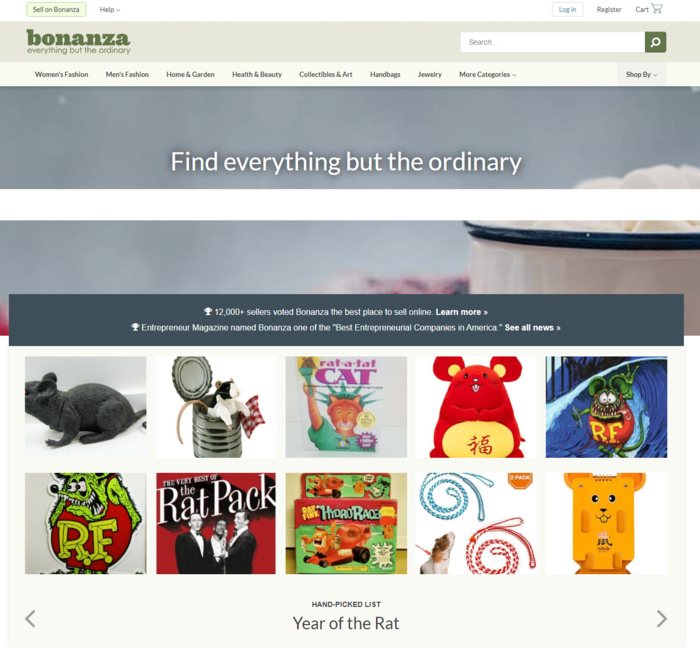
As a platform for e-commerce sellers, Bonanza exists as a marketplace for all kinds of products. 

The sheer variety of products you can sell on Bonanza is impressive. Bonanza lets merchants sell art, books, coins, jewelry, and everything in between. 

What Is Bonanza and How Does It Work

Bonanza functions similarly to many other e-commerce platforms. Sellers pay fees on both the price of the goods sold and the shipping fees associated with that purchase. However, you don’t pay unless your items sell—there are no listing fees or subscription costs. 

You can advertise on the platform, but for our purposes, we’re going to focus on how to drive organic traffic to your business using SEO.

5 SEO Tips for Bonanza E-Commerce Sellers

To increase views on Bonanza, you need to provide customers with the most relevant information at the right time. Let’s look at how to optimize your Bonanza listings to drive organic traffic.

Use Strong Keywords in Bonanza Listings

As with all types of SEO, effective keyword usage is paramount when optimizing for Bonanza. But, before you can use keywords in your title and listing, you need to figure out what your keywords are.

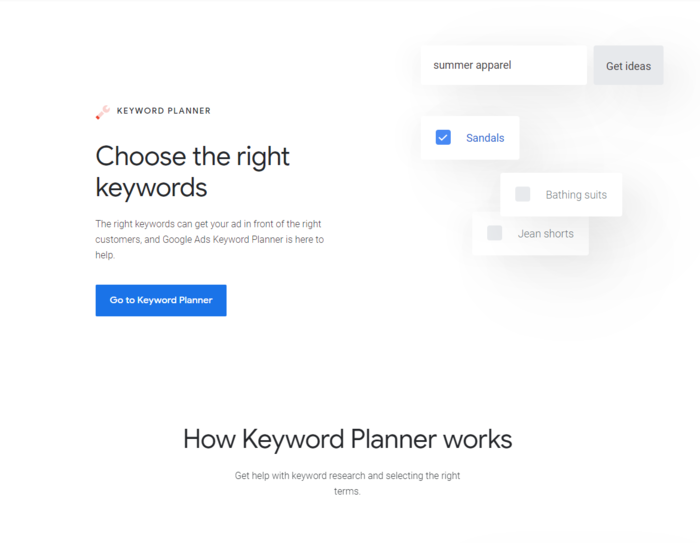
Google Keyword Planner is a fantastic tool for testing the strength of specific key terms and phrases that you’re considering for your content.

Bonanza - Use Strong Keywords in Bonanza Listings

Let’s say your e-commerce store revolves around hiking. The word “hiking” itself might be a perfect fit for your content, but this presents a few problems. 

The biggest issue here is hundreds, if not thousands, of other merchants selling hiking equipment on Bonanza. There’s little chance your content will stand out to either the algorithm or potential buyers based on that term alone.

Instead of using a broad keyword like “hiking,” you can use a strong keyword phrase that accurately describes your product. Suddenly, you’ve narrowed down your audience significantly.

Your audience is no longer anyone who types in “hiking” in a search engine. 

You sell hiking boots to people actively looking for sales. By narrowing your focus to keywords related to that, you’re telling search engines your site is useful to a particular group of buyers. The more specific the solution, the more likely these search engines are to recommend it.

Don’t just look for keywords with high search volumes—seek out phrases that naturally fit into your site and signal genuine value.

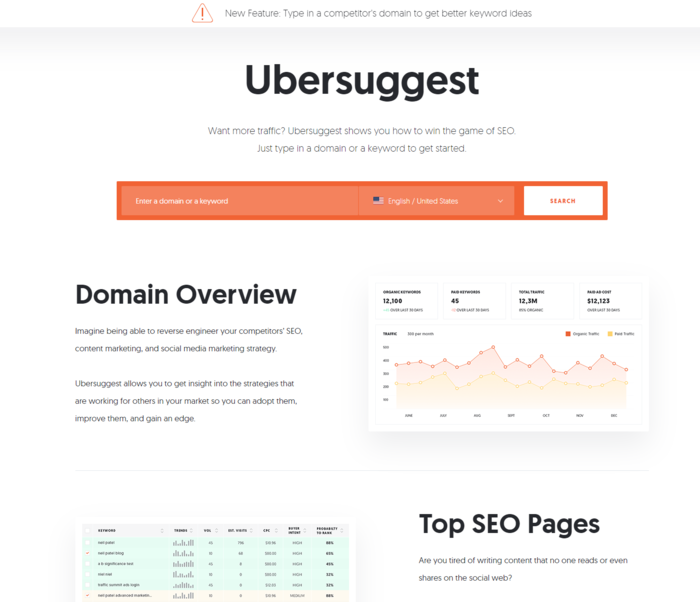
By the way, if you’re looking for more in-depth keyword analysis, you can use my Ubersuggest tool for free here.

Bonanza - Use Ubersuggest for Keyword Research

Include Quality Images

Discussions on SEO tend to revolve purely around the text. But, believing search engines only look at the text on your site would be a serious mistake.

The images on your site send data to search engine algorithms and can signal a higher quality experience for users.

Remember, search engines are in the business of having the right answer. When your business becomes the best possible fit for a potential buyer, search engines may give you the spotlight.

Image quality is essential. Take clear, well-lit pictures of your items with backgrounds that don’t distract. Use multiple images from different angles so your audience can fully see what they’re considering purchasing.

After you’ve taken your photos, change the file names to match your content. If you used a picture of a national park for your hiking store, don’t just call it DMG_33223.jpg. Change its name to something appropriate and relevant, such as hiking_boot_brand_style_name. 

Make sure your image dimensions match the image size as displayed. This can impact load times for your site, which can have a dramatic effect on your on-site SEO.

Additionally, use the right format for your visual content. If you want to preserve background transparency, use PNG. Logos and icons should use SVG. For larger photos, use JPEG. This option preserves the image’s colors and clarity while taking up less storage space.

Speaking of which, reduce the file size of your images! If you’ve ever wondered why your pictures take so long to load, this is likely the culprit. Slow load times mean less attention from search engines.

Images also have alt text (or alt tag). Essentially, this is the information conveyed to users who can’t see pictures. Whether they’ve disabled images or they’re using a screen reader due to a visual impairment, alt text helps provide information on that image.

Search engines use alt text to vet the quality of a site. This means if you don’t have alt text (or you do, but it’s nonsensical), you’re probably missing out on free traffic.  

Choose Your Item Titles Carefully

When shopping online, you likely see a lot of products with titles that are a list of keywords rather than a clear title like you’d use on, say, a blog post. This isn’t the way to go.

I’ve found a simple way to help e-commerce sellers understand the value of item titles. 

Think about your store from a search engine’s perspective. Your site description is pretty similar to an article or blog post as far as they’re concerned. Search engine algorithms see everything as content, and they want to provide positive experiences for users.

If you created a blog post on hiking titled “hiking positives why you should hike how to like hiking,” would a search engine find that valuable? Of course not. You’d probably title that post something like “Making the Most of Hiking” or “The Awesomeness of Hiking.”

For articles and blogs, you likely already take the time to build compelling, relevant, engaging content regularly because you know how valuable it is to both a search engine and your audience.

Do the same for your store listings—research using the Keyword Planner. Run a competitor analysis and see which titles excel and which are failing.

Above all, your item title and product descriptions need to be helpful. When they’re helpful, they’re valuable— and when you’re valuable, search engines are more willing to pay attention. 

It’s also worth noting paying attention to the differences in the buying cycle. Online shoppers with low buyer awareness need lots of convincing. For example, a buyer that searches for “hiking boots” may still be researching their options and not yet ready to buy, while someone who searches for “Women’s Newton Ridge Waterproof Amped Hiking Boot” is likely ready to buy.

If they aren’t familiar with your product, you’ll need to focus on education first.

Start with key features, product usage, and brand guarantees. This makes your product copy both user-friendly and valuable.

Add Product Features and Benefits

Now that we’ve established that product descriptions function like any other piece of content, it’s time we broke down how to craft a valuable description. 

Start with product features. From an SEO perspective, potential buyers are searching for perks and features when they use search engines. 

After all, they aren’t just looking for “boots.” They’re looking for “high-quality, comfortable boots.” 

The mistake some sellers make is assuming the list of features is enough. That list is just one piece of the puzzle. What makes a product description stand out to a search engine’s algorithm is contextually appropriate copy. 

These aren’t just high-quality, comfortable boots. They’re boots that stand up to the harshest of winters. They’re boots you can wear for hours on end. Maybe they are waterproof. 

While Bonanza allows you to fill out boxes with item traits and listing details, they also give you space to write out a description. Provide details you couldn’t give in the boxes.

For instance, you can put the boots’ size and material in the traits, but you can’t tell them the heel height. Put that type of information in your written description.

When you create a clear picture of the experience with a particular product, you bring a high level of authenticity to the shopping experience. 

If your content checks some of the keyword boxes but isn’t valuable, your site won’t get organic traffic for long.

Grow Using Content Creation

One of the most frustrating challenges you’ll deal with as an e-commerce seller is being unable to innovate. As a business owner, you want every business-building tool at your disposal. Which brings up the question: at what point do you start to expand your marketing efforts?

After all, you don’t just want to beat your competitors by a small margin. You want to dominate your e-commerce space and have your site on the first page of a user’s search engine results.

Commit to creating a blog for your site. It doesn’t have to be fancy, but it should be value-driven. 

You could use a free option like WordPress.com and write two articles a week on topics your audience cares about—and link to relevant items in your Bonanza store. You’ll have over 100 articles in a year, all linking to your Bonanza store, which shows search engines a series of healthy links to your store.

Bonanza - Grow Using Content Creation

More high-quality links mean validation, plus there’s the added perk of adding another layer to your marketing funnel. 

You can even use this content to collect email addresses for your newsletter. Use that to drive repeat business, and before you know it, you’ve built a truly profitable ecosystem. 

Conclusion

SEO is just as crucial for e-commerce stores like Bonanza as it is for other types of content. Without solid SEO for your store, consumers probably won’t find your products.

Understand what users need from their search experience. Take the time to create a user-friendly product page. Offer engaging content and create a store that puts the customers’ needs first.

You’ll never be able to “trick” search engines. But with enough patience and hard work, you can get search engines to work for you and drive traffic to your Bonanza store.

How have you found success on Bonanza?

The post 5 SEO Tips For Bonanza E-Commerce Sellers appeared first on Neil Patel.

This marketing news is not the copyright of Scott.Services – please click here to see the original source of this article. Author: Neil Patel

For more SEO, PPC, internet marketing news please check out https://news.scott.services

Why not check out our SEO, PPC marketing services at https://www.scott.services

We’re also on:
https://www.facebook.com/scottdotservices/
https://twitter.com/scottdsmith
https://plus.google.com/112865305341039147737

The post 5 SEO Tips For Bonanza E-Commerce Sellers appeared first on Scott.Services Online Marketing News.


source https://news.scott.services/5-seo-tips-for-bonanza-e-commerce-sellers/