Bing announced a pilot, a really early test, for a content submission API. The content submission API takes it a step further than Bing’s efforts to have you just submit URLs for crawling and indexing. Instead, this is you feeding Bing not just your URL but also all of its content, HTML, images, etc – so Bing does not need to crawl the page at all.
Here is the tweet of Fabrice Canel of Bing announcing it at PubCon:
Earlier this year, Bing was pushing webmasters to submit URLs you want them to crawl and index. Bing doesn’t want to do the discovery process, it is expensive and also impacts your servers.
But this is a level up – where Bing is asking you not just to save them on the discovery portion but also on them crawling the page at all. I assume Bing still crawls the page but it doesn’t have to.
There is no way I know of to be part of this pilot, it seems really locked down and being tested with a few publishers.
I just didn’t necessarily expect this to go this far with Bing.
I am not saying this is a bad thing for webmasters, but I doubt Google follow this approach any time soon.
Google’s Gary Illyes cleared up one thing that SEOs have been possibly confused about for some time. There is not single score for EAT. There is not EAT score. EAT is not a real thing at Google. EAT is made up of many many algorithms, baby algorithms, that are made up of in the Google core algorithm.
Google does not give you a score for your site on how well the site does EAT. In fact, there are probably multiple algorithms for each letter in EAT. Expertise, authoritativeness and trustworthiness. Each alone probably have numerous algorithms that determine various signals to measure how authoritative a site might be based on who knows, PageRank, citations, the content accuracy (see what I did there) and more.
Here are the tweets covering when Gary Illyes said this on stage at PubCon:
“EAT and YMYL are concepts introduced for Quality Raters to dumb down algorithm concepts. They are not ‘scores’ used by Google internally.“ #Pubcon@methode Followup: There is no EAT algorithm.
Q:Does Google have an EAT score?
A: There’s no internal EAT score or YMYL score. The QRG are guidelines for raters. EAT and YMYL are concepts that allow humans to “dumb down” algorithms. There is no one algo that looks for YMYL@methode@jenstar#Pubcon
Does Google have an EAT score that it applies to pages? @methode: no. What we have is the guidelines for quality raters. Dumbing down algorithms. #Pubcon
The core algorithm is a collection of probably millions of small algorithms that look for signals in pages or links that could be conceptualized as EAT. There’s no core component that specifically targets EAT. @methode#Pubcon
There is no EAT or YMYL score or classifier or algorithm at google. These are guidelines for what the algorithm wants to reward. It’s a conceptual way to look at the result of multiple algorithms and signals. @methode (thanks for the shout out) #pubcon
But yes, you can do things to improve your EAT (not literally EAT) but you can do things to improve your site that signal to Google improvements in the concept of EAT:
.@jenstar
if people increase their E.A.T. on their site, will it increase their rankings?@methode
– It depends, but not necessarily#Pubcon
Is there an E-A-T score?
Gary: “There’s no internal EAT score or YMYL score. The Quality Raters’ Guidelines are guidelines for raters. EAT and YMYL are concepts that allow humans to dumb down algorithms. There is no one algo that looks for YMYL. He said that Google has “a collection of millions of tiny algorithms that work in unison to spit out a ranking score. Many of those baby algorithms look for signals in pages or content. When you put them together in certain ways, they can be conceptualized as YMYL. It’s not like we have a YMYL score though.”
He also said that “Multiple algorithms conceptualize E-A-T”
My take is that Google does want us, webmasters, to focus on EAT because it makes for an overall better web site. Improving your EAT on your site should signal to Google through other means that your YMYL site should rank better for specific terms. But a site is not assigned an EAT score, like it might be given a Panda score back in the day.
The pandemic has changed work permanently. Before COVID-19, only 9.8 million (out of 140 civilian workers in the U.S.) worked remotely. Today, almost 70 million people are working remotely.
Are you working remotely?
If you are, there’s a good chance that you’ll need a virtual private network (VPN). If you’re running a small business and your employees need to work remotely, you need a VPN as well. Today, we’re going to take a look at VPNs — what they are, why you need them, and how to find the VPN that’s right for you.
What’s a VPN, and Why Do You Need One?
A VPN is a private network that’s run through a public network — imagine that a remote worker sitting in Starbucks had an extra-long Ethernet cable. They plug one end into their computer, and the other end directly into their company’s servers at work.
That’s basically what a VPN does; it creates a secure and encrypted tunnel from your computer to a server on the internet. This is great because it means no one can access the data you’re sharing with your computer and company server. You have privacy and data security. We’re going to look at seven of the top VPN Services, explaining the pros and cons of each service.
When you’re looking for a VPN, the first thing you’ll want to do is identify your needs. What do you want your VPN to do for you? What kinds of things do you need from your VPN? In general, most people focus their attention on four specific criteria.
Criteria #1: Speed and Reliability
If you’re planning on using your VPN for things that require a lot of data or activity, you’ll want to choose a service that’s optimized for speed and reliability. If you’re sharing large files routinely or you’re streaming video consistently, you’ll want to select a VPN that provides unlimited connections, unlimited bandwidth, and high download and upload speeds.
When it comes to speed and reliability, there are factors you control and factors your service provider controls.
Factors you control: Improving Wi-Fi stability, using a wired connection (which is always faster), upgrading your internet connection speeds, or upgrading your VPN. You can also choose a VPN service with more servers or servers closer to your desired location.
Factors you don’t control: Number of servers, server load, or server location/distance – longer distance = slower speeds. International bandwidth restrictions (i.e., VPNs in Australia are slow due to underwater fiber optic cables carrying a set amount of data at any one time) and VPN protocols also impact speed. And another thing, complicated peering relationships between networks, also reduces speed.
You’ll want to test your VPN speed so you can verify the claims your provider is making. You’ll need two things to do that — an accurate testing method and a baseline for your tests. Here are some of the more reliable speed tests you can use to verify your VPN speeds.
Next, run a speed test on the same connection, with and without your VPN. If you’re on Wi-Fi, stay on Wi-Fi for both tests. Run the tests twice to get an average speed. Run your tests using the same VPN server/location you plan on using with your service.
Criteria #2: Security and Privacy
VPNs should be secure by default; the VPN service you choose should have the basics of security and privacy protection down. Here are the most important security and privacy requirements you’ll need to consider when choosing a VPN.
Security
Handshake encryption: This takes place at the beginning of the VPN session where you and the server you’re communicating with exchange private keys that encrypt or decrypt data and messages to acknowledge each other.
Authentication: Reputable VPN services will use a hash algorithm to automatically verify the packets they receive, making sure that data from a middleman hasn’t been injected into your packet. They’ll also verify that your data hasn’t been tampered with or changed in any way.
Ciphers: This is an algorithm, like AES, that encrypts and decrypts your data in a series of clearly defined steps. Using a key to encrypt your data makes it impossible for unwanted eyes to spy on your data unless they have the specific key that was used to encrypt the message. So the unencrypted message “VPNs made easy” would become “FVWWOluB9rHb5KUtyJYqlA==” using the AES algorithm.
Encryption strength: 128-bit AES encryption is faster but less secure; 256-bit encryption is slower but more secure. Stronger encryption is obviously harder to break, so this is more of a priority if you’re focused on security.
Privacy
Activity logs: Many free VPN services track your activity — the websites and pages you visit, files downloaded, etc. These free VPNs sell or monetize your usage activity on their VPN without your permission or knowledge.
Connection logs: Other VPN services track assigned IP addresses, connection start/end times, or bytes of data transferred. This typically doesn’t include your data, but it can be combined with other data (i.e., the IP address you used to log into your Slack account) to expose your identity.
If privacy is important to you, you’ll want to stick with log-free VPN services that don’t track your activity or metadata.
Criteria #3: Compatible Devices
If you have an iPhone, but you use Windows on your computer, you’ll want to verify that the VPN services are compatible with your devices. While most VPN services are compatible with the standard platforms — Windows, Mac, Android, Linux, and iOS, etc. some aren’t available on all platforms. The VPN that’s Windows ready may not be available on Android or iOS.
You’ll want to verify that your devices are all compatible before signing up.
Criteria #4: Connections
How many devices can connect to your VPN service simultaneously? The availability of connections tends to vary from service to service. Some providers allow just one; others allow up to three, while others are unlimited. You’ll need to identify what you need ahead of time.
It’s not just connections that you have to worry about, though. You also have to take a look at the availability of countries and the availability of servers. If you have specific availability needs, you’ll want to verify this with your VPN service provider ahead of time, then confirm this during your free trial or guarantee period.
Other important considerations include:
Payment plans: The cost you’ll pay for VPN services varies considerably, and it depends on the features you choose and the length of your subscription.
Customer service: If you need on-demand customer support (in case something goes wrong), you’ll want a VPN service that provides live chat or phone support (which will impact the price). If that’s not as much of a concern, then a provider who offers email support may be a better option.
Free trial or money-back guarantee: If you opt for a service that offers a free trial, you’ll want to choose a service that gives you enough time to try things out. Some VPN services’ free trial period is quite short, which may not be enough time to verify the service on your end. A money-back guarantee is ideal because you have a way out in case their service isn’t what you’ve expected.
User friendly or tech-savvy: If you’re not comfortable with setting up and configuring your VPN, you’ll want to make sure you find a provider with a user-friendly interface. Some providers will configure your VPN for you virtually, so everything is done for you ahead of time.
You must figure out what you’re looking for ahead of time.
The Different Types of VPN Services
It’s important to make a distinction between VPN technology and VPN services. As we’ve already discussed, a virtual private network boils down to a secure, private connection between your device and endpoint. That is VPN technology. The VPN service, on the other hand, uses VPN technology to provide you with a package of tools. Using VPN services, you can not only protect your internet connection and guard your privacy but gain access to extra customer service with configuration guides, automatic setup, and live chat support.
Different types of VPNs:
Remote Access VPN – Provide a secure connection from a user to a remote server to gain entry to a private network.
Intranet-based Site-to-SiteVPN – Provide a secure connection for various users in different, fixed locations to connect to each other’s resources. For example: With a site-to-site VPN, multiple local area networks (LAN) can connect to a single wide-area network (WAN). Think of one company with numerous locations sharing resources.
Extranet-based Site-to-Site VPN – Difficult to implement, these VPNs are common in large-scale business environments where you are looking for a secure connection between two separate intranets, but you do not want them having the ability to access each other directly. Think of two different companies working together.
Cloud VPN – Also known as virtual private network-as-a-service (VPNaaS), is designed for organizations that rely on outsourced cloud data centers instead of in-house infrastructure. A traditional VPN doesn’t work if your organization stores all of your data in the cloud. A cloud VPN allows users to access a company’s resources — applications, data, and files through a website or via a native desktop or mobile app.
As a user looking to secure your privacy and access the internet, or secure business data for your remote workforce, you’re most likely looking for commercial VPN Services, let’s take a look at our picks for the top VPN providers.
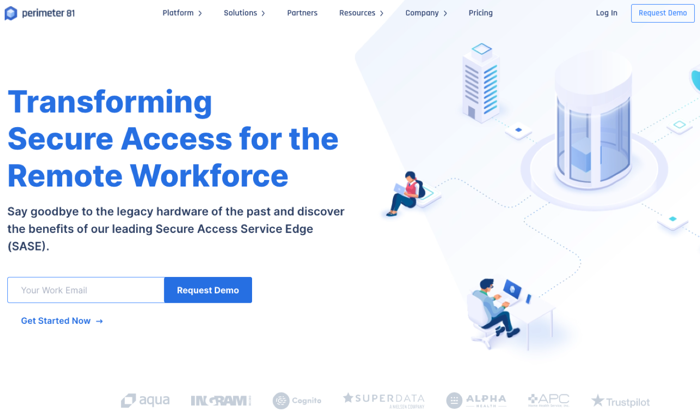
1. Perimeter 81 – The Best for Small Business Teams
Perimeter 81 is an Israeli-based business VPN service that’s unique because of its Cloud VPN architecture. It’s great for users on multiple devices. You don’t need external legacy hardware or tools. It comes with the business features you’d need to run your remote organization safely in the cloud.
Perimeter 81 is ideal for remote businesses because it protects your business from unexpected mistakes. Their automatic Wi-Fi Security and DNS Filtering features instantly shield your data by automatically activating VPN protection when employees connect to unknown, untrusted networks. According to their website, “All outbound and inbound traffic is encrypted and routed through your dedicated private servers – concealing your company’s actual IP address with an IP mask.”
This protection shields your company from man-in-the-middle attacks and unsecure Wi-Fi networks. Their service keeps your business safe from data breaches, lawsuits due to negligence, and other claims. Employee training is important, but Perimeter protects your employees and your business when they’re working.
They also provide you with the data you need to monitor network activity. You can audit resource access, monitor bandwidth consumption, and detect network anomalies remotely and at any time. All of this is important because more organizations have a “bring your own device” (BYOD) policy in place.
The potential downside to Perimeter 81’s service is access points. As of today, they have 700 public servers in 36 countries. That might sound like a lot until you realize some of their competitors have double or triple that amount in twice as many countries.
Pros
Single sign-on (SSO) functionality
User friendly and easy-to-use
Great for remote businesses
Auto-integrated with all cloud providers
Secure access to both managed and unmanaged devices
Cons
Higher price point
Fewer servers than their competitors
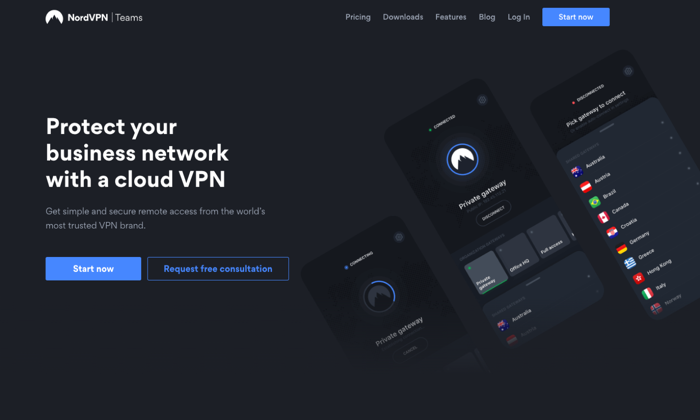
2. NordVPN Teams — New Service From Industry Leader
NordVPN Teams is a new VPN service from an industry leader. NordVPN is known for its consistent performance, a strong stance on privacy, and aggressive security features. The company is based in Panama, where there are no mandatory data retention laws and no legal obligation to collect your data. It’s also important because Panama doesn’t participate in the five eyes or fourteen eyes alliances.
They don’t track, collect, or share your private data — activity, usage, or metadata. They invited one of the big four auditing firms PriceWaterhouseCoopers AG, to run an industry-first audit of their no logging claims to verify that they’re telling the truth.
NordVPN is one of the few providers that offers double VPN, an advanced VPN security feature that routes your traffic through two VPN servers instead of one, encrypting your data twice. They provide two-factor authentication and single sign-on, which are standard features for top-tier VPN services. They also provide you with a kill switch, if your connection drops for even a second, the kill switch will cut off all the Internet traffic on your device, ensuring none of your information is exposed online.
For business customers, they provide you with a dedicated account manager that’s assigned to your account. Your Control Panel enables you to manage user accounts, control permissions, and create gateways. You can oversee user activity, monitor server load, add new users, and create custom teams from inside your control panel.
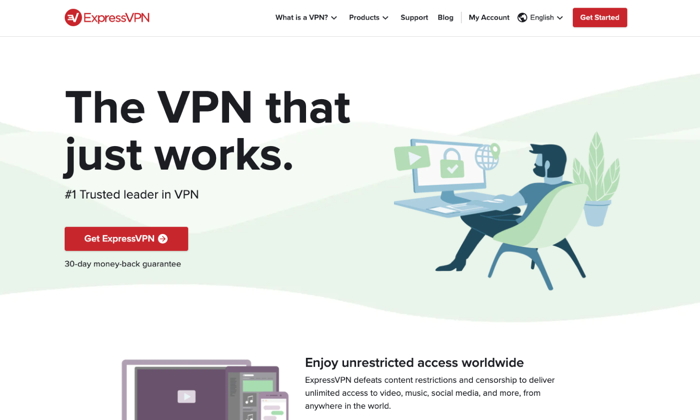
ExpressVPN doesn’t have a product strictly designed for businesses. They’re consumer-focused, which is great if you’re a sole proprietor or a remote, contract, or freelance worker on your own. Their apps are compatible with almost every device on the usual platforms; they also have apps for nontraditional platforms, including— Linux, Kindle Fire, Chromebook, and even Barnes and Noble’s Nook!
Since they’re consumer-focused, their apps are user-friendly, easy to set up, and simple to maintain. They provide you with all of the standard encryption and security features you’d expect from a top-rated VPN provider. And, they also provide you with some unique features like split-tunneling or using their own DNS servers.
Like NordVPN, they have a no-logging policy as their company is based in the British Virgin Islands. There’s no mandated government surveillance and no data retention laws.
Pros
Consumer-focused
User-friendly and easy-to-use
Apps available on all devices and platforms
Strong reputation
Top-rated security and encryption
Cons
No VPN services for businesses
More expensive than their competitors
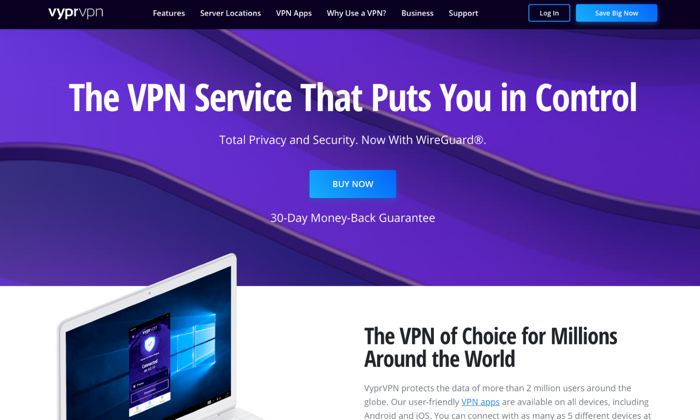
4. VyprVPN – The Best VPN for Speed
Pricing: $2.50 per mo. (24 mo. plan), $3.75 per mo. (12 mo. plan), $12.95 per mo. (1 mo. plan).
Owned by Golden Frog GmbH and incorporated in Switzerland, VyprVPN focuses on a few areas — speed, anti-censorship, and privacy. They call their service the “most powerful VPN.” They offer more than 200,000 IP addresses and 700+ servers, across 70 locations internationally.
Their platform resolves speed issues due to ISP bandwidth throttling. It’s common for users to state that their speeds are close to 100% of their original speeds. This is impressive when you realize that they rely on AES 256-bit encryption. They provide users with unlimited switching between servers and protocols without restrictions.
VyprVPN provides some of the same features listed from other providers — kill switch, public Wi-Fi protection, and DNS protection. But they also offer a proprietary technology called Chameleon. In this protocol, VyprVPN scrambles your metadata, so it’s not recognizable via deep packet inspection, but it’s still fast and lightweight. As a result, VyperVPN can bypass restrictions from governments, corporations, and ISPs while fighting censorship and maintaining speed.
VyprVPN also owns and operates their data centers to reduce any risk of a data breach. Other VPN providers route traffic to third-party servers, so they’re not as secure as a service that keeps things in-house. VyprDNS keeps your browsing history private. Their no-logs policy makes a breach unlikely.
Pros
Unlimited high-speed bandwidth
70+ server locations
Chameleon protocol
5 Simultaneous connections
No activity or usage logs
Fast customer support
VyprDNS
Self-owned servers
Cons
Fewer servers than bigger competitors
Poor speeds in specific regions (EU)
Slower connection times in specific regions
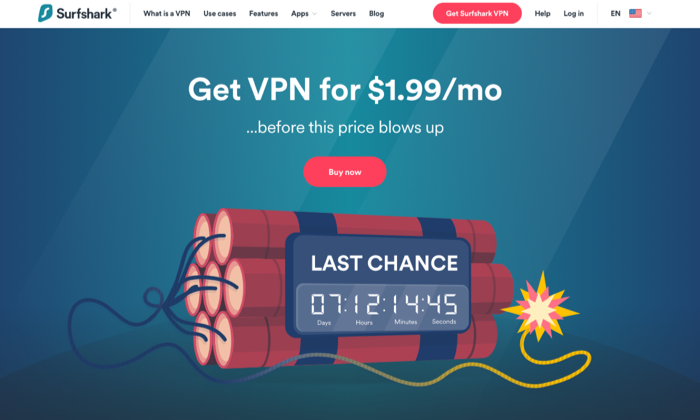
5. Surfshark – The Best for the Price
Pricing: $1.99 per mo. (24 mo.), $5.99 per mo. (12 mo.), $11.95 per mo.
Multi-device support: Desktop and mobile platforms
Surfshark is an award winning VPN service that offers incredible value for the price. According to VPNMentor.com, SurfShark is ranked 4th out of 357 VPN services. Their service provides users with 256-bit encryption, double VPN, an automatic kill switch, and a no-log policy.
They’re headquartered in the British Virgin Islands, so like other VPNs in our list, they’re free from the five, nine, fourteen eyes alliances. While they don’t collect usage or connection data, they do collect your email address, password, and basic billing information. If you’d like to avoid sharing this info, you can use cryptocurrencies like Bitcoin. They also collect unique advertising identifiers from third parties for marketing purposes and user analytics.
One detail that stands out with Surfshark is unlimited connections. The number of devices that can connect simultaneously, per license is unlimited. This is great if you’re an individual, but it’s also great if you’re running a business. There are no additional licenses or requirements once you’ve signed up. Just set your VPN up, pay for the service, and you’re all set.
Surfshark offers its Adblock VPN that blocks advertising and malware, counters phishing attempts, and boosts browsing speed. They offer premium features like private DNS on each server, camouflage mode to mask activity from your ISP, and Multihop – connecting via multiple countries at the same time to maximize footprint masking and ID protection.
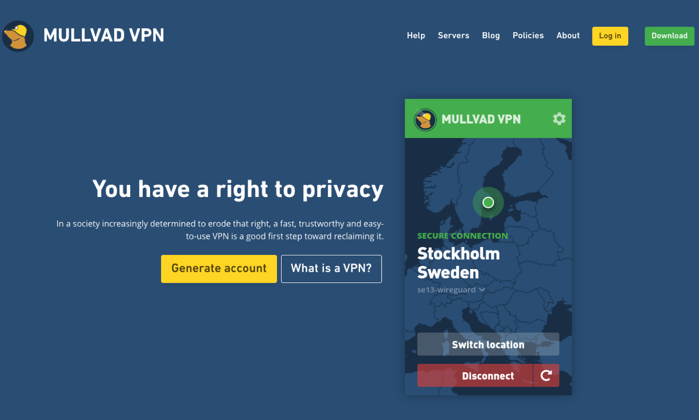
Privacy isn’t the same as security. If you’re looking for a VPN service that will go to extreme lengths to protect your privacy, Sweden-based Mullvad is at the top of the list. They don’t require an email address or even a password from their customers. The company randomly generates a unique code for your username. You use this code to log in to the desktop apps or add credit to your account. They even allow customers to send cash in the mail to pay for your account!
They want to know as little about you as possible.
Mullvad will store your account number, your counts, paid time remaining, and the number of simultaneous connections that are used by your account. This data is kept in temporary memory, then purged once you log off. They log the total number of current connections for a given server, the bandwidth used per server, and the CPU load per core on each server. None of these items contain personally identifiable information.
Mullvad only offers connections in 38 countries, and they only have 315 servers. They don’t use virtual servers, so your VPN connections are running on physical hardware at the location specified. The speed varies based on your location. If you’re in Europe or North America, speeds are generally good. If you’re in Australia or Asia, the performance is generally much slower.
Pros
Privacy-focused
Simple and user-friendly
WireGuard support
More anonymity than most VPN services
No affiliates or resellers
Cons
Focused exclusively on privacy
Slower speeds in certain locations
No password protection
7. TunnelBear – The Best for Newbies
Pricing: Free, $3.33 per mo., $5.75 per user, per mo. for teams
Number of servers: 20
Money-back Guarantee: 30-day
Support: 24/7 email support tickets
Multi-device support: Mac, Windows, iOS, and Android
TunnelBear’s service is designed to be incredibly simple for newbies.
They’re based out of Canada, which is a member of the five eyes, nine eyes, and fourteen eyes alliances. This means data that goes through or is stored in Canada is subject to intelligence agreements —they may be legally forced to share your data. TunnelBear states that they have a no-logging policy, so everything seems okay until you read this in their privacy policy.
“TunnelBear makes good faith efforts to provide you with the ability to delete your Personal Data. However, there may be circumstances in which TunnelBear is unable to delete all your Personal Data. For example, we are unable to delete it where we are legally required to keep it, including where we need it to continue to offer you the service or if you are involved in litigation with us, we would be required to retain your personal data, which is limited to the fields we discuss above in 1.2, 1.3 and 1.4.”
This data includes your email address, twitter id, paid user designation, operational data, and personal and financial data. If this isn’t a concern for you or your organization, TunnelBear is a great option for individuals and businesses that want to get started with a VPN but aren’t as knowledgeable as they’d like.
TunnelBear includes the standard features you need to get started with a VPN — AES 256-bit encryption, tunneling (Android only), hashing, and more. Their service is reasonably priced and designed to help inexperienced people get started with a VPN.
TunnelBear is transparent about its service, sharing the results of its independent security audits each year on its website.
Pros
Designed for inexperienced users
Generally open and transparent about their service
Low cost
Built for individuals and teams
Offers a free plan
Cons
May share your data with governments
No phone or customer support
Conclusion
Whether you’re a freelancer, an entrepreneur with a small team, or a growing business looking for options, a VPN will provide you with the security and peace of mind you need to keep your remote team connected and working safely.
Your needs are unique, and they’ll dictate which VPN service will work best for you and your business. Weigh the options against your needs for speed, security, privacy, compatible devices and number of connects. Millions of people are working remotely, and that number continues to grow every day. If you’re not already using a VPN service, now’s a good time to start.
This is the first interview I did after New York went on lock due to COVID in March – hence the lack of the haircut. Kevin Lee came to my home to do an outside vlog interview, socially distant, to discuss SEO and SEM…
In 2015, Apple first revealed information about AppleBot, its search engine crawler. Then a few months ago, Apple updated its information around web search to list its web ranking factors. Jon Henshaw last week published a very comprehensive blog post on Apple’s behind the scenes efforts in launching a search engine to compete with Google.
We know Google has said numerous times that word count is not a ranking factor, nor is it indicative of quality. We know Google said short content can rank just fine. But Google has to answer this question often enough. John did that this morning in numerous tweets that I wanted to share with you.
Here is yet another Google related search user interface that Google is testing. We’ve seen several so far, so I will list them all below again, but this new one is where Google is just shading in the magnifying glass icon and not the query with it.
If you search for [is Google down], Google will show you an answer, like it does often with other answer based queries, to tell you “no.” I guess if Google is able to give you an answer here, by definition Google is not down.
Google’s John Mueller clarified how SEOs should think about Google’s index and links on the web. He said on Twitter “we index pages, we don’t index links. Links are between pages.” That means, Google will index a page, that page may have links on it, and if Google sees the link, it knows there is a link but it indexes the page, not the link.
Remember that super rad Googler who shared her roller skating sessions on Instagram? She often skated at the Google Austin office. She posted about missing the space since COVID-19. She wrote
Gary Illyes from Google threw out a term, he made up, Google does not use it internally I think he said, called “baby algorithms.” His point with the term is that when SEOs say EAT, there is no EAT algorithm. But rather there are many algorithms, call them baby algorithms, that look at many signals that may interpret parts of EAT.
Hence the name baby algorithms has been coined by Gary.
“We have probably millions of baby algorithms and they act differently. They might do something that triggers more crawls on certain sites. It solely depends on the algo and what it’s trying to do.” #Pubcon
Jesus Mendez, the SEO Director at MailOnline, which operators DailyMail.co.uk, has admitted publicly that the site took a massive hit by the June 2019 Google core update which began rolling out June 3rd. He said the site “lost 50% of daily traffic” because of this Google update.
It is very rare for a publishing site that large to admit they were hit by a Google update – extremely rare to see a post about it in a public forum. But the transparency is clear and honest, which I do love. It launched in 2003, and according to Wikipedia it is/was “the most visited English-language newspaper website in the world, with over 11.34m visitors daily in August 2014.” Heck, I even wrote how smart they were when they hid an easter egg in their robots.txt file to hire a savvy SEO for their publication.
But now, the site lost 50% of its traffic, with an additional 90% drop in their Google Discover traffic – which can hurt big time for a publication that size.
Jesus Mendez wrote in as Google Webmaster Help thread “The day after the broad core algorithm update (June 3rd) we saw a massive drop in Search traffic from Google (lost 50% of daily traffic). This was a drop over the course of 24-hours and we have not made any changes to the site. Further, we saw our Discover traffic drop by 90% and has not improved. This is across all verticals, devices, AMP and Non-AMP. “
Here is a screen shot of the full post (click to enlarge):
There are no responses to this post – but wowza. We know this update can be big for some sites but the DailyMail really felt it!
On Wednesday, September 2 at 2pm ET, MarTech Today’s, Editorial Director, Kim Davis, continues the MarTech Live series by talking with expert technologists about experimenting with your martech stack, whether or not now is the time to review your technology, and the changing role of marketing operations.
Kim’s guests will be:
Anita Brearton, co-founder and CEO, CabinetM
Pat Maigler, Senior Manager Marketing Strategy and Operations, Williams-Sonoma, Inc.
Anita Brearton will discuss how marketers and marketing ops professionals are reviewing their stacks and evaluating the purchase of new technologies given the pressures of the current environment. Then Pat Maigler will offer a practitioner’s view on whether or not he feels this is a time to maintain the status quo or to innovate and experiment. We’ll also dive into how the marketing ops role has changed with the tightened economy and growing customer expectations.
The chat will take place at 2 p.m. EDT and we will allow up to 100 people into the meeting to experience the discussion live and ask questions. We will then post the video of the meeting for the larger MarTech Today audience to enjoy. If you would like to be part of the meeting please fill out this form. We will send confirmations to the first 100 people who sign up.
We at MarTech Today hope this series of live discussions, presentations, tutorials and meetups will help everyone stay sharp and up to date on tactics and best practices. The episodes will also be available on demand.
If you have an idea for a session or would like to join a panel, email kbushman@thirddoormedia.com or fill out the pitch form here.